How to convert VHS to digital without a VCR
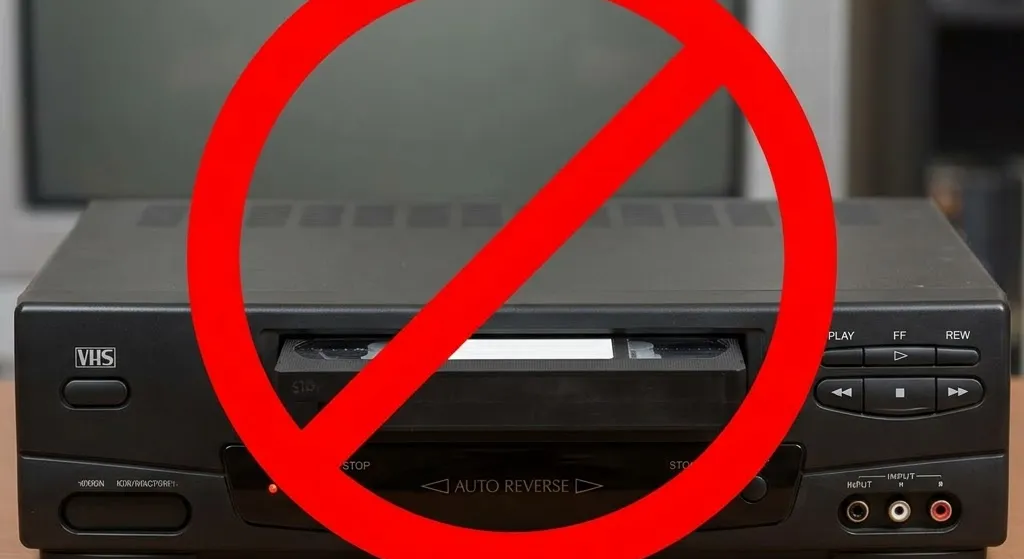
You’ve got a box of VHS tapes and nothing to play them on. Join the club. VCRs stopped being manufactured in 2016, and the ones still floating around are decades old with worn-out parts.
Most guides on this topic assume you already have a working VCR. This one doesn’t. We’ll go through every realistic option for getting your tapes digitized when you don’t have a player sitting around.
First, the honest part
There’s no app, scanner, or device that reads a VHS cassette without playing it. The tape has to physically run through a machine for the video signal to come out. That’s just how the format works.
So when people say “convert VHS without a VCR,” what they really mean is “without me needing to own one.” That’s a perfectly reasonable goal. Plenty of options exist that don’t require you to dig through eBay listings for a 25-year-old machine.
Option 1: Use a mail-in digitization service
This is the simplest path. You pack your tapes in a box, ship them to a company, and get digital files back. They have the VCRs. You don’t need one.
How it works
Most services send you a prepaid kit or provide shipping instructions. You drop your tapes in, send them off, and wait. When they’re done, you get your files on a USB drive, a download link, or both. Your original tapes come back too.
What it costs
Expect to pay roughly $15–35 per tape, depending on the service. Some charge extra for the USB drive or cloud access. A box of 10 tapes will typically run $200–400 total.
Turnaround time
Plan for 3–12 weeks. The cheaper services tend to take longer. Expedited options exist if you need your tapes back fast, but they cost more.
The major services
A few names you’ll see when you start looking:
-
HDSHOT (that’s us) offer digitization and HD restoration services.
-
Legacybox sends you a prepaid kit and returns files on a thumb drive or cloud download.
-
Kodak Digitizing works through a mail-in box with digital files or DVD output.
-
CVS Photo lets you drop off in-store or mail in. You get DVDs or digital files.
-
Walmart is similar to CVS, with Google Photos integration.
-
Costco offers video transfer with cloud access through their MemoryCloud platform.
Who this is for
Most people, honestly. If you have a normal number of tapes and no interest in buying equipment you’ll use once, a mail-in service is the way to go.
Option 2: Find a local transfer shop
Many cities have small businesses that do tape-to-digital transfers. Camera shops, photo labs, media conversion storefronts. They’re more common than you’d think.
How to find one
Search for “[your city] VHS to digital” or “[your city] tape transfer.” Check Google Maps reviews. Ask at local camera or electronics stores. Some offer the service themselves, and others can point you to someone who does.
Why go local
Your tapes never leave town. Turnaround is usually faster, sometimes a few days instead of weeks. And you can talk to the person doing the work, which matters if your tapes are old or fragile.
The downside
Quality varies a lot. A dedicated transfer shop with professional equipment will do great work. A side-hustle operation running a consumer VCR and a cheap capture card won’t. Ask what equipment they use before committing.
Option 3: Buy or borrow a used VCR
If you want to go the DIY route, you’ll need to track down a VCR. They’re out there. They’re just not new.
Where to find one
eBay has the biggest selection, usually $30–80 for a working unit. Facebook Marketplace is good for local pickup where you can test before buying. Thrift stores are hit or miss. And don’t overlook friends and family. You’d be surprised who still has one sitting in a closet.
The risk
Used VCRs are unpredictable. Worn playback heads can produce a fuzzy, unstable picture. Dirty or misaligned mechanisms can crinkle the tape ribbon. And if a VCR eats a tape, the damage is permanent.
Test with a tape you don’t care about before putting anything irreplaceable in the machine.
What else you need
A VCR alone just plays the tape on a TV. To actually capture digital files, you’ll also need a USB capture device ($15–50), capture software on your computer (OBS is free, or some devices include their own), and enough storage space since each tape uses roughly 5–10 GB.
Who this makes sense for
People with a large collection, say 20 or more tapes, who are comfortable troubleshooting tech issues. The per-tape cost drops to almost nothing once you have the equipment. But the upfront investment is $50–150, and you’re spending real time on each tape. They digitize in real time, so a two-hour tape takes two hours.
Option 4: Use a VHS camcorder as a player
If you still have an old camcorder sitting in a drawer, it might be able to play tapes. Some full-size VHS camcorders work fine as a stand-in for a VCR.
The big catch
Most camcorders play VHS-C tapes only, the compact cassettes, not the full-size VHS tapes you’d rent from Blockbuster. If your tapes are standard VHS, a camcorder probably won’t help.
If your tapes are VHS-C
Connect the camcorder to a USB capture device using RCA cables, and you can digitize straight from the camcorder. The picture quality won’t be as good as a dedicated VCR, but it works.
If your tapes are standard VHS
You’ll need to find a VCR or use a service. There’s no adapter that lets a VHS-C camcorder play a full-size tape.
Which option makes sense for you?
A few tapes, no tech interest. Mail-in service or local shop. You’ll spend $15–35 per tape and won’t have to think about it.
Lots of tapes, comfortable with tech. Consider buying a used VCR and doing it yourself. More work upfront, but the per-tape cost is almost zero.
Fragile or damaged tapes. Go professional. Worn, moldy, or crinkled tapes need proper equipment and someone who knows how to handle them without making things worse.
Tapes you really care about. If you want the footage to actually look good on a modern screen, look for a service that includes HD restoration. A standard transfer gives you a faithful copy of what’s on the tape. Restoration cleans up the picture and corrects the color so it holds up on today’s TVs.
That box of tapes isn’t getting any younger
It’s been sitting there for years. Maybe decades. The footage has been fading the whole time, and every year you wait, the picture gets a little worse.
You don’t need a VCR to get this done. You just need to pick one of the options above and start.
If you’d rather have someone handle the whole thing, digitization and restoration, that’s what we do. Ship us your tapes and we’ll take care of the rest. Get in touch whenever you’re ready.
